My Bunker Guides Hub
First-hour crates, fuse recipes, guards, AFK cash, and the artifact index in one map.
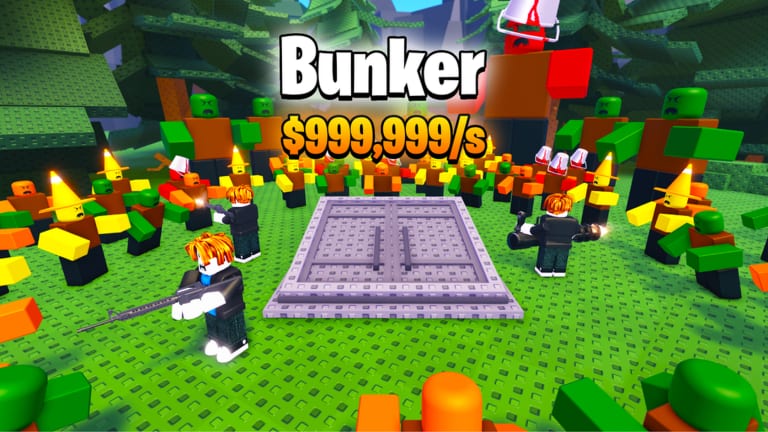
This Guides Hub is the walkthrough map for My Bunker, the Roblox simulation tycoon from Yeet Pizza Productions that went live on 4 August 2025. A server holds six players. You buy crates off a conveyor, place themed bunkers on your plot, hire guards, and collect cash that keeps paying while you are offline. The loop is inspired by My Market. It is not a nuke-survival game, and it is not the separate Roblox title “Build a Bunker!”.
Read the pages in the order below if you just claimed a plot. Jump to a single mechanic if you already have cash printing and only need the fuse machine, the artifact index, or a cleaner AFK logout.
First hour on a new plot
Start with Getting Started. Join the live place, take an empty plot, and walk to the conveyor before you tour decorations. Spend starting cash on a crate, drop the bunker on a pad, and hire a guard so the pad is actually working. Early upgrades that add crate slots or raise crate spawn rate beat chasing a pretty model. A recorded opening session later showed Lockdown printing about $200 per second; treat that as a mid-run spike, not a starter rate. The same recording also placed Nature, Prison, Trapdoor, and a golden bank vault. Leave the expensive armored crate alone until the plot already earns.
Once that first loop feels automatic, open How to Play. That page is the full cycle: cash into crates, crates into bunkers, bunkers into guards, leftover cash into spawn upgrades, and only then a trip to the fuse machine. It also covers the HUD, the shop, the Halloween shop GUI, and the quality-of-life toggle that shows or hides the items stacked on the side of the screen.
Crates, pads, and named bunkers
How to Get Bunkers is the crate page. Conveyor boxes are the normal source. The armored crate is expensive enough that a recorded session had a player wishing for hundreds of thousands of cash before touching it. An island crate showed up as a save-up target in that same session. Day 6 of development added stronger crates meant to raise the chance of mythic pulls. Confirmed bunker names from gameplay and devlogs include Lockdown, Prison, Nature, Space, Black Hole, Steampunk, B, Lockdown Ultimate, Electric, Graveyard, and Vault. Rainy is a mutation, not a separate building; an epic Rainy Prison appeared in the opening recording. Rank spend order on the bunker tier list, the crate tier list, and the mutation list instead of opening every box the belt offers.
Fuse machine, guards, AFK, artifacts
The fuse walkthrough only lists recipes this wiki can confirm. Space becomes Black Hole. Steampunk combines with B. A Rogue robot becomes Lockdown Ultimate. Do not burn a rare model on a guessed pair. One recorded session also showed a Halloween-themed fuse window; treat that as event dressing around the same machine, not a fourth recipe list.
Guards and protection explains why an empty bunker is a weak pad on a six-player server. After you place a bunker, hire a guard. Gameplay footage put units such as a peasant and a prisoner onto bunkers so those pads kept paying.
Offline earnings is the AFK page. The Roblox listing states that bunkers earn money offline. Day 6 of the developer shorts added offline rewards so players have a reason to come back. Plan the logout: filled pads, hired guards, leftover cash not sitting unused on an armored crate you cannot afford.
Artifacts and Index covers the three artifact jobs: money multi, offline rewards, and offline time. The index shows an icon for the mutation on each entry. That catalog is how you check Rainy and other mutations without guessing from a thumbnail.
Controls, shop, and selling
Controls and HUD is the click map: WASD, conveyor, pads, claim window, and the QOL toggle that hides side items. Shop and upgrades is spawn rate, extra crate slots, and the cheap game-pass shop named on Day 12. Named Roblox passes (2x Money, Auto Collect, 2x Spawn Speed, 2x Offline Reward time, 2x Run Speed) live on game passes. How to Sell Bunkers is inventory hygiene so duplicates do not cover the belt or the fuse machine. PC navigation only lists eight rows; the rest of the walkthroughs live on this hub.
Codes, scripts, patches, and tools
There are no confirmed promo codes. Skip random paste lists until the group shout or an in-game box proves one. The scripts hub is not a dump of “Build a Bunker!” executors; that name is a different game. Check updates and the QOL notes after patches. Rough out crate versus upgrade spends with the income planner. Live group roles and the Roblox page sit on official links and the Yeet Pizza Productions group. The players hub is the roster side of the same wiki.
Use this hub as a table of contents, not as a second copy of every guide. Each linked page is written to stand alone, then point back here and across to the tier list when you need ranks instead of steps.
Frequently Asked Questions
Quick answers for bunker owners, crate buyers, and AFK farmers.
Which My Bunker guide should I open first?
New plots start on Getting Started, then How to Play. If you already have bunkers down, jump to How to Get Bunkers or the fuse walkthrough.
Does this hub replace the bunker tier list?
Are there working codes or an official Trello?
We have not confirmed a redeemable code, and there is no official Trello. Keep codes empty until a real box appears, and use official links plus the group page for shouts.
Do bunkers keep paying after I log out?
Yes. Offline cash is a core pitch. Read offline earnings and stack artifacts that stretch rewards and timer length on Artifacts and Index.